Tampilkan postingan dengan label utilities tools. Tampilkan semua postingan

Minggu, 01 April 2012

Folder Lock 7.0.5 Full Version (8Mb)


   Khusus buat aganagan yang mempunyai file pribadi yang bersifat rahasia dan tidak ingin diketahui oleh orang lain karena komputer anda juga di gunakan orang lain. So, jangan kwatir karena Prodichky09 punya solusi nya.
Dengan sofware ini maka semua file rahasia anda tidak akan di ketahui oleh orang lain kecuali oleh anda sendiri :D:D 

Sofware ini bernama Folder Lock. Sofware versi terbaru nya adalah Folder Lock 7.0.5
Semua data atau file yang tersimpan di Folder Lock ini akan terkunci dengan password sehingga membutuhkan password untuk membuka nya dan yang tahu password nya hanya anda sendiri. Canggih bukan ? privasi sangat diutamakan lo di software ini

#ScreenShot


Download
Folder Lock 7.0.5 - Download disini
jika perlu (password) : prodichky09


Rabu, 30 November 2011

AVG PC Tuneup 2012 full


ini adalah tool favoritku AVG PC Tuneup 2012 hadir lengkap dengan alat pemulih file sehingga Anda dapat memulihkan file yang rusak atau tidak sengaja terhapus dalam Windows.
Alat ini akan memulihkan file yang tidak sengaja terhapus atau file yang rusak. File recovery juga memungkinkan Anda untuk mempratinjau foto dan dokumen sambil menjelajahi daftar file yang ditemukan.
Menghapus file dan membersihkan disk secara permanen pada File shredder dan disk wiper

Minggu, 27 November 2011

TuneUp Utilities 2012 Full Version boost your PC


TuneUp Utilities 2012 adalah software untuk mengoptimalkan kinerja Komputer atau Laptop. TuneUp Utilities dapat membuat sistem operasi Windows lebih cepat, lebih nyaman dan lebih aman hanya dengan beberapa klik. Dan semua operasi yang dilakukan pada sistem operasi benar-benar aman, karena semua perubahan yang dipantau oleh TuneUp Rescue Center dan dapat dibatalkan kapan saja.
TuneUp Utilities secara otomatis menjalankan tugas-tugas pemeliharaan Komputer/Laptop Anda, membuat Anda mengetahui setiap masalah dan menawarkan solusi sederhana. Hal ini menjamin kinerja selalu yang terbaik. Sebuah komputer yang lambat dan berantakan adalah masa lalu untuk Anda. Anda juga dapat menggunakan TuneUp Utilities untuk menyesuaikan tampilan sistem Windows Anda. Klik dibawah ini untuk mendapatkan TuneUp Utilities 2012

Kamis, 10 Februari 2011

Advanced System Optimizer (ASO)


Publisher: Systweak Inc.

Advanced System Optimizer dari Systweak adalah salah satu sistem utilitas terbaik di pasar saat ini. Sejauh ini saya pribadi sulit untuk menemukan satu  software utility yang memiliki banyak fitur-fitur yang berguna untuk Optimasi sistem secara efektif sebanyak Advanced System Optimizer. Sementara beberapa utilitas sistem mungkin memiliki lebih banyak fitur, Advanced System Optimizer lebih mengutamakan kualitas daripada kuantitas. Yang mengarah pada Advanced System Optimizer juga menjadi salah satu utilitas PC paling mudah untuk digunakan karena kita tidak perlu memilah-milah fitur-fitur yang tidak perlu untuk mendapatkan apa yang kita butuhkan.

Rabu, 09 Februari 2011

Update DirectX 11

Apa sih directx itu ?
directx adalah sebuah software yang mendukung grafik. kadang kala kita pernah bermain tiba tiba ada tanda please update directx . yah seperti itulah contoh nya.
Sehingga sobat harus mengupdate directx agar game tersebut dapat kembali anda main kan.

Kini Microsoft terus mendukung DirectX, bahkan sampai versi untuk Windows 7. DirectX yang merupakan grafis akselerator ini telah dikembangkan sampai versi terbaru yaitu versi DirectX 11. Khusus pada versi directx 11 ini lah hanya bisa digunakan pada windows 7 dan windows vista saja sob,dan directx ini tidak cocok untuk windows xp.

Senin, 31 Januari 2011

Mengembalikan Data yang Hilang Permanen di Dalam Harddisk (Komputer)

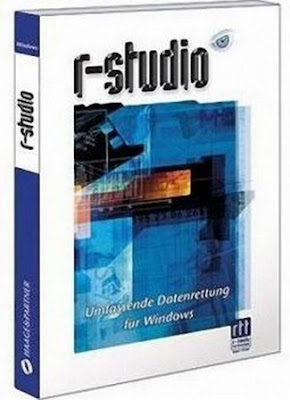
1. R-Studio 

Softwae R-studio ini spesialisasi untuk mengangkat berbagai macam file dan data yang terhapus secara permanen di dalam hardisk, flashdisk dan media penyimpanan lainnya. Anda bisa memanfaatkan software ini apabila ada data yang hilang yang begitu penting untuk diselamatkan.


Mengembalikan Data yang Hilang Permanen di Dalam Harddisk (Komputer)


Cara pengoperasiannya cukup mudah, setelah anda download kemudian di installasi ke komputer. Buka program tersebut dan kemudian pilih hardisk yang akan dicari data dan file yang hilang(jika hardisk anda di partisi), kemudian klik scan, setelah proses scan selesai maka akan muncul berbagai macam file yang hilang tersebut. Kemudian pada proses restorasi data tersebut harap berhati hati karena seringkali virus yang terhapus akan muncul kembali, lebih baik pilih file mana yang benar benar akan di kembalikan. Software ini bercopy right. Jika anda ingin mencoba yang trial version bisa langsung menuju situs resminya, tapi jika anda ingin yang full version, saya akan memberikan link di bawah ini

Photobucket


R-Studio Trial Version

R-studio Full Version

Photobucket


Jumat, 28 Januari 2011

HDD Temperature 4.0.25 | 4.01 Mb


   HDD Temperature 4.0.25
HDD Temperature (Hard Disk Drive Temperature) is used to control the temperature of hard disks and prevent failures in their work due to overheating. Hard Drive Temperature works invisibly in the background mode and bothers you only when there is an actual threat to your data and warns you about a dangerous overheating of your hard disk. Even if you are not around when the critical temperature of your hard disk has been exceeded, Hard Drive Temperature will take care and save all your data! This application will put the computer in standby mode then will turn it off so that the hard disk will have time to cool off.
Features:
- HDD Temperature Revamped

The 4th generation of HDD Temperature has been re-designed and re-coded from the scratch for faster performance and smaller footprint than ever before.

- Brand-New User Interface
The new interface of HDD Temperature is geared towards users. It's simpler to use and easier to understand. All information about your hard drive is laid out conveniently by the drive letter.

- Detailed Report on Your Hard Drives
All you ever wanted to know about your hard disks is fully disclosed by HDD Temperature 4. Learn about who manufactured your disk and when, the exact model number and the number of hours the disk has been used. Oh, and it monitors and reports the disks' temperatures, too!

- Supports All Kinds of Disks
New-generation HDD Temperature supports all types of hard drives in a single tool, including IDE, Serial ATA, SCSI, and even USB.

- Basic Disk Health Control
Prevent data loss due to hard disk failures! The updated HDD Temperature now reports basic information about the health of your hard disks, thus increasing data safety and storage reliability of your entire system. Detailed disk health reports are available with HDDlife, a dedicated disk health monitor.

- Easily Affordable
HDD Temperature is priced to sell. Is €15 too high a price for peace of mind and safety of your data?

- Technical Information
HDD Temperature 4 is easily usable even in limited user ***s, and does not require administrative privileges to run. It does not trigger Vista's UAC prompts, too!

Changes:
User interface language change don't work. Fixed.
Photobucket


Download links:

Letitbit
or
Vip-file
or
HotFile
Photobucket

Home Page - http://www.hddtemp.com

Sabtu, 22 Januari 2011

Uniblue SpeedUpMyPC 2011 v5.1.0.6 | 5.27


SpeedUpMyPC - the program is a handy tuner to your operating system and provides for her a more stable and faster work. The program allows you to free memory and other system resources, prevent crashes, reduce download time and make more effective communication with the Internet. The utility also allows you to monitor the system and makes recommendations to accelerate the startup programs.

SpeedUpMyPC gives the ability to monitor and manage all of your computer's resources with one simple click. System settings, internet usage, disk clutter, RAM and CPU are all automatically scanned, cleaned and optimized for maximum performance achievement. You can also pause or delete the background and startup processes, to produce high-quality multi-pass disk defragmentation and mop up, to respect privacy, completely remove sensitive data and much more.

Features:
- Automatic scanning system
- Overview of the CPU
- Improved functionality of the processor
- Review the use of RAM
- Optimize RAM
- Review the use of disk space
- Analyze and Defragment hard drives
- Analysis and optimization of the speed of your Internet connection

Uniblue PowerSuite 2011 v 3.0.0.8 | 16.19 Mb


Uniblue PowerSuite is the complete performance solution for your PC, comprehensive set of maintenance tools for cleaning up, repairing and optimising your PC.

PowerSuite combines the benefits of three award winning products to deliver the full Uniblue experience: RegistryBooster, DriverScanner and SpeedUpMyPC under a unified interface, adding a special scheduled scan feature for automatic maintenance.

Merging RegistryBooster, DriverScanner and SpeedUpMyPC under a single interface, PowerSuite boosts and protects vulnerable but critical system elements tied to speed and stability.

With Uniblue's three award winning programs working together in sync, PowerSuite guarantees a clean and defragmented registry, regular driver updates, and fully optimized resource management and system settings. After giving your PC a full performance boost, PowerSuite can schedule unobtrusive background scans to ensure that your system continues to run at its best.


RegistryBooster cleans and defragments your registry to optimize your system, DriverScanner updates your drivers to improve hardware function, while SpeedUpMyPC manages system configuration and resource allocation for maximum speed. With PowerSuite your computer will get the ultimate performance step-up and maintenance that is automatic, reliable and ongoing.

Your computer is a complex assemblage of technologies that need management and maintenance to run smoothly. Unless cleaned, your registry will accumulate harmful entries. Without regular updates, your hardware drivers can become obsolete.

Furthermore there are a whole range of settings, files and processes that require careful administration. With so many vulnerabilities needing ongoing maintenance, it is easy to see why most computers degrade and slow down with use.

Download Here :
Photobucket
Photobucket

Uniblue Registry Booster 2011 v.5.0 | 6.67 Mb


Altering your registry can be intimidating. Most people don’t even know what a registry is, nonetheless have the knowledge to understand what things they should keep and what items can be safely deleted. However, they do know when their system is running slow and they do notice random items left after software has been uninstalled. That is why registry repair software like Uniblue RegistryBooster has been created, to take a complex and confusing process and make it as easy and stress free as possible.

Uniblue RegistryBooster offers a free scan and will give you a registry error list rather quickly. It also provides a selective scan, so it only reports back specific items you want cleaned or deleted and it automatically creates a registry backup should you want to revert back. It also supports an ignore list so you can keep certain registry items without worrying about them being deleted.
This registry repair software performed most of the functions we were looking for, including the ability to look for a variety of invalid paths as well as corrupt files, invalid fonts and traces left behind from uninstalled software. Uniblue RegistryBooster also includes registry defrag tools and they offer free software updates.

Ease of Use:
Uniblue RegistryBooster has a simple, streamlined interface that is quite easy to use. The main menu is organized with four upper tabs and each section just has a few sub categories, it is really easy to navigate.

The difficult part of registry repair software is understanding how to use the program, in terms of what to look for or what to delete. Most people know nothing about their registry and if they looked at the details of their error log, they would still not know what to keep and what to delete. So Uniblue RegistryBooster offers some easy default searches and settings and one-click repairs. However, for more advanced users they provide selective search, ignore lists, a detailed error log and registry restore options.

Feature Set:
Uniblue RegistryBooster registry repair software has the ability to perform most of the functions that we were looking for and has a few advanced options and settings options that some may desire. You can set this program to scan whenever your operating system starts up, when you start the program, or manually; however it does not have a scheduler.

It has the ability to defrag your registry and can create registry backups for added security. It can clean Windows/Vista and software information such as invalid program shortcuts, left over software bits, obsolete files and start menu items.

The registry repair program can look for a variety of registry problems including ActiveX, OLE and COM sections, invalid file associations, user and system software settings, shared DLLs, invalid file extensions, startup sections, sound and app events, uninstalled sections, invalid fonts, help section errors, invalid application paths, invalid drivers, shared folders and invalid shortcuts. However, we did not see that it can search for spyware or duplicate files.

This software also has a registry defrag tool, which could prove to be quite helpful, though it does warn you that the process cannot be reversed. It also provides an extremely useful registry backup tool. It can save a series of registries with their dates, so you can choose which one you want to revert back to and with this tool you can also delete registry backups you no longer need.

Ease of Installation:
In our experience the software installed quickly and without a glitch. The first scan also produced results quickly. We tested it on a system running XP and found Uniblue RegistryBooster to run flawlessly. The registry repair software also runs with Vista and you can still download some of their older versions that work with Windows 2000.

Help/Support:
You can contact Uniblue by email or they provide FAQs online and a full user manual. Uniblue also offers free updates. However, we would have liked to have seen a help file included with the download and additional support made available by telephone.

Safety:
As mentioned above, registry issues can be confusing and most general users do not know how to alter their registry. Even with a comprehensive error log, they would not know what needs to be done. In addition, many are afraid if they delete something it will mess up their system.
Uniblue RegistryBooster incorporates a few safety measures, to ensure that you do not alter your system in a negative way. For one, you can select either a full scan or just select the areas that you want scanned and possibly cleaned. Secondly, they include an ignore list, so you can decide which items will not be altered. In addition, it creates an automatic backup of your registry so you can restore it back should you desire. The only thing we would have liked to have seen is a line-by-line rating for each error; Uniblue RegistryBooster only gives you an overall rating on the registry health of your system.

Summary:
Uniblue RegistryBooster has greatly improved in the last few years and we are pleased to relate that they have corrected some glitches that reviewers and users complained about a few years ago. We found the newest version easy to use and felt assured when using the program that we were not going to muddle up our registry unknowingly. We really liked the backup tool, which made restoring a previously saved registry set easy.

Kamis, 20 Januari 2011

Hiren's BootCD v13.0


Hirens BootCD - alat yang sangat diperlukan digunakan oleh banyak teknisi komputer dan administrator sistem. Pada satu CD bootable berisi puluhan program yang paling populer dan utilitas untuk menjalankan DOS. Ini adalah utilitas untuk bekerja dengan hard drive, pemulihan dan utilitas diagnosis diagnostik semua situs di komputer, manajer file, utilitas untuk jaringan, serta banyak lainnya. 

Fitur Baru dari Hiren's BootCD v13.0:

Partition Tools:

  • EASEUS Partition Master 6.5.1 Server Edition
  • Partition Magic Pro 8.05 (registered)
  • Acronis Disk Director Suite 10.0.2160
  • Paragon Partition Manager Server 7.0.1274

Backup Tools:

    • Norton Ghost 11.5.1
    • Acronis True Image Enterprise Server 8.1.945

Password & Registry Tools:

  • Active Password Changer 3.0.420 (NT/2000/XP/2003/Vista)

Hard Disk Tools:

  • HDD Regenerator 2011 (full)

Tool baru di Mini Windows XP:

  • Partition Magic Pro 8.05
  • Ghost32
  • Ghost Explorer
  • GhostCast Server
  • OneKey Ghost 6.5.6
  • Mozilla Firefox 3.6.13

ExtremeCopy pro 1.5.1

What's ExtremeCopy ?

ExtremeCopy is a Windows copy file utility which copy and move files and folders extremely fast and operation is simple,it can increase 20% ~ 120% speed up than Windows copy handler. It includs some powerful features such as pause copy process,error recovery and so on but as easy as Windows default copy handler:


Support Operation System: XP / 2003 / VISTA / VISTA64 / Windows 7 32bit / Windows 7 64bit


Download here :
(hotfile)
Photobucket

Kamis, 13 Januari 2011

powerSuite 2010 Build 2.1.10.17 | 20.29 Mb


Apa software ini lakukan?

Masalahnya:
Komputer Anda adalah kumpulan kompleks teknologi yang memerlukan pengelolaan dan pemeliharaan berjalan lancar. Kecuali dibersihkan, registri Anda akan terakumulasi entri berbahaya. Tanpa update reguler, driver hardware anda dapat menjadi usang. Selain itu ada berbagai macam pengaturan, file dan proses yang membutuhkan administrasi berhati-hati. Dengan begitu banyak kerentanan memerlukan pemeliharaan, mudah untuk melihat mengapa komputer paling menurunkan dan memperlambat dengan penggunaan.

Solusi

PowerSuite adalah solusi lengkap untuk kinerja PC Anda. Penggabungan RegistryBooster, driverscanner dan SpeedUpMyPC bawah antarmuka tunggal, PowerSuite meningkatkan dan melindungi elemen sistem yang rentan tetapi sangat penting terkait dengan kecepatan dan stabilitas.
RegistryBooster membersihkan dan defragments registri Anda untuk mengoptimalkan sistem Anda, update driver driverscanner Anda untuk meningkatkan fungsi perangkat keras, sedangkan SpeedUpMyPC mengelola konfigurasi sistem dan alokasi sumber daya untuk kecepatan maksimum. Dengan PowerSuite komputer Anda akan mendapatkan performa terbaik langkah-up dan perawatan yang otomatis, handal dan berkelanjutan.

Uniblue PowerSuite 2010 - adalah solusi lengkap untuk meningkatkan kinerja komputer. Penggabungan RegistryBooster, driverscanner dan SpeedUpMyPC dalam antarmuka tunggal memungkinkan Anda untuk mempercepat sistem anda, bersih dan mengoptimalkan registri, driver update instan untuk operasi yang lebih efisien dari komputer Anda.

Setiap program yang dirancang untuk optimasi dari area tertentu dari sistem operasi, dan bersama-sama mereka membentuk satu set lengkap alat dari semua masalah sistemik dari komputer Anda.
Fitur:
* Hapus entri registri berbahaya untuk mengurangi jumlah kesalahan dan konflik data Defragment registry untuk meningkatkan efisiensi pengolahan data
* Memperbarui driver lama untuk memperbaiki fungsi perangkat keras
* Meningkatkan sistem pengelolaan sumber daya untuk mengurangi keterlambatan
* Menghapus file yang tidak diinginkan untuk mengembalikan ruang hard disk pengaturan sistem Optimalkan untuk kecepatan maksimum
* Antarmuka ramah pengguna untuk terpusat tiga program penghargaan
* Terpadu analisis kinerja produktivitas Kuat dan penuh otomatis dan layanan mencolok teknologi yang handal dari Microsoft Gold Certified Partner

Speedup ยช PC saya

Program untuk mempercepat komputer Anda. Menurut para pengembang meningkatkan tingkat bahkan yang paling kuat mesin. SpeedUpMyPC secara otomatis menentukan instalasi terbaik untuk Anda komputer dan mengelola sumber daya sistem, memberikan kinerja yang lebih baik. Dengan SpeedUpMyPC, Anda dapat membuat sistem pembersihan untuk memantau penggunaan sumber daya dan mempercepat kinerja.

Fitur

- Pemindaian otomatis kinerja sistem
- Tinjauan tentang CPU
- Meningkatkan fungsi prosesor
- Review penggunaan RAM
- Optimalkan RAM
- Review penggunaan ruang disk
- Menganalisa dan defragmenting hard drive
- Analisis dan optimalisasi kecepatan koneksi internet
- Startup Manager
- Task Manager
- Sistem Ikhtisar dan rekomendasi untuk meningkatkan produktivitas
- Crawling pada data yang tidak perlu atau tidak diinginkan
- Kerusakan lengkap data rahasia (opsional)
- Manager untuk uninstall program

Registry Booster

- Dirancang untuk Windows registri mengoptimalkan dan bersih.
- Dengan teknologi kesalahan deteksi otomatis mendeteksi Registry Booster
terfragmentasi, rusak, atau salah kunci registri dan memperbaiki kesalahan terdeteksi sehingga memungkinkan peningkatan produktivitas dan stabilitas sistem secara keseluruhan.

Fitur :

-Scanning registri Anda
-Scan Windows Registry untuk kehadiran salah atau ketinggalan jaman

Slim driver 1.0

sore sobat blogger kali ini prodichky akan membahas tentang sebuah software yang tentu sangat berguna..yakni slim driver ???? 
slim driver adalah software untuk meng update driver'' pc kalian.slim driver juga bersertifikat microsoft gold.jadi gag usah ragu dah buat download ni software.

Langsung masukin saja di laptop bro...!


slim driver = DISINI
password  = prodichky09.blogspot.com


Senin, 10 Januari 2011

AVG PC Tuneup 2011 10.0.0.23 Full Crack


FITUR: 

Perbaiki masalah register yang menyebabkan macet dan crashPembersih Register dan Perapi Register

Perbaiki register yang berserakan dan rusak yang menghabiskan memori, memperlambat aplikasi Anda dan menyebabkan masalah stabilitas keseluruhan.
Pembersih disk memindai hard drive untuk mencari file yang menghabiskan ruang disk dan memperlambat komputer Anda. Ini mungkin mencakup file sementara, cache peramban Internet atau file sampah. Pembersih register memindai register Anda untuk memperbaiki masalah yang menyebabkan komputer melambat, macet atau bahkan crash.
Mengoptimalkan koneksi Internet AndaPengoptimal Internet

Pengoptimal Internet secara otomatis menyetel pengaturan koneksi Internet Anda untuk mempercepat aktivitas online Anda.
Alat ini akan mempercepat koneksi Internet Anda dengan mengoptimalkan pengaturan - termasuk Max MTU dan RWIN - khususnya untuk tipe koneksi Internet yang Anda gunakan. Selain itu, pengoptimal Internet akan mengetes pengaturan koneksi Anda sebelum menerapkan perubahan.
Memulihkan file yang terhapus tidak sengajaPemulihan file

AVG PC Tuneup hadir lengkap dengan alat pemulihan file sehingga Anda dapat memulihkan file yang rusak atau tidak sengaja terhapus dalam Windows.
Alat ini akan memulihkan file yang tidak sengaja terhapus atau file yang rusak. Pemulihan file juga memungkinkan Anda untuk melihat cuplikan foto dan dokumen sambil menjelajahi daftar file yang ditemukan.
Menghapus file dan membersihkan disk secara permanenPenghancur file dan penyapu disk

Menghapus file atau folder menghilangkan referensi mereka tapi tidak menghapus data sebenarnya yang tersimpan dalam file. Ini artinya file yang Anda anggap telah dihapus dapat dengan mudah dikembalikan.
Penghancur file menghapus file secara permanen sehingga data pribadi Anda tidak dapat dipulihkan. Alat ini menyediakan empat opsi proses penghancuran, yang berkisar dari proses penghancuran cepat hingga setingkat keamanan militer. Alat pembersih disk dapat digunakan untuk membersihkan seisi drive dan untuk memberikan keamanan ekstra. Anda juga dapat mematikan pemulihan sistem saat membersihkan disk untuk menjamin tidak terjadi penyalinan file selama pembersihan.
Melindungi privasi Anda Penghapus jejak

Banyak informasi tentang aktivitas Anda direkam dalam PC. Penghapus jejak akan membantu Anda melindungi privasi dengan menghapus informasi pribadi ini dari komputer Anda.
Saat Anda menjelajahi internet, membuka dokumen atau menjalankan program, aktivitas Anda terekam. Penghapus jejak menyembunyikan jejak ini sehingga tidak ada yang dapat melihat situs web mana yang telah Anda kunjungi atau dokumen mana yang baru saja Anda buka.
Meningkatkan kecepatan disk AndaPerapi disk dan register Windows

Defragmentasi disk mengoptimalkan sistem file Anda untuk mengoptimalkan hard drive. Nikmati hard disk yang lebih cepat dan komputer yang berjalan lebih stabil dan lancar.
Perapi disk menyusun ulang file pada disk Anda sehingga dapat dibaca dan ditulis dengan cepat. Ini meningkatkan waktu respons aplikasi, kecepatan boot sistem dan performa komputer keseluruhan. Alat yang sama membersihkan register Windows Anda dengan menulisnya ulang untuk menghilangkan fragmentasi, ruang kosong yang terpecah dan kerusakan struktur
Memantau kesehatan dan penggunaan ruang hard drive AndaDokter disk dan penjelajah disk

Dengan kedua alat ini, Anda akan dengan mudah merapikan data dan mengamankannya agar tidak hilang karena kerusakan hard disk.
Dokter disk memeriksa hard drive Anda untuk mencari masalah yang terkait sektor rusak, cluster yang hilang dan kesalahan direktori. Dengan menggunakan penjelajah disk, Anda dapat dengan mudah dan cepat membebaskan ruang tambahan pada disk dengan melihat 100 file terbesar dan memindahkannya ke media alternatif.


download sini
Photobucket


Link Alternative :
DOWNLOAD
DOWNLOAD
DOWNLOAD

Rabu, 29 Desember 2010

System Speed Booster 2.8.2.2


System Speed Booster
Sistem Speed Booster ialah multimedia menawarkan kuantitas fungsi untuk memindai registri Anda dan memperbaiki file-file yang  korup, entri registry berbahaya,  dan masalah yang lain, anda bisa memperbaikinya hanya  dengan mengklik tombol Cure pada software ini. Anda dapat menikmati lebih banyak fitur menarik hanya dengan aplikasi ini GRATIS ini
. sangat mudah untuk menginstal dan untuk memakainya.
System Speed Booster 2.8.2.2
lalu apa saja fitur yang ditawarkan aplikasi ini :

1. Merampingkan Registry
Dengan memindai dan menghapus semua entri registry usang, Sistem Speed Booster akan  mempercepat menjalankan PC Anda.

2. Optimalisasi System
Masalah akan ditemukan di sistem anda, dengan bantuan Sistem Speed Booster Anda dapat memperbaiki semua kesalahan untuk optimasi sistem.

3. Efisiensi Kerja Cepat
Dari menginstal untuk menjalankan aplikasi, proses yang halus dan cepat. Hanya beberapa menit, Anda akan menikmati pengalaman PC terbaik yang pernah ada.

4. Gratis & Aman
Tidak ada keraguan tentang hal itu. System Speed Booster adalah Perangkat lunak pemenang penghargaan  100% gratis dan tidak ada adware, spyware, dan virus sama sekali.

 
Design by Free WordPress Themes | Bloggerized by Lasantha - Premium Blogger Themes | Best Buy Coupons